Purpose: This guide explains how to delete a form in Kizen, offering step-by-step instructions for users. It’s particularly useful when cleaning up old or unused forms, but be sure to verify that the form isn’t tied to any Agentic Workflows to prevent disruptions in workflows
Use the steps below to remove a form:
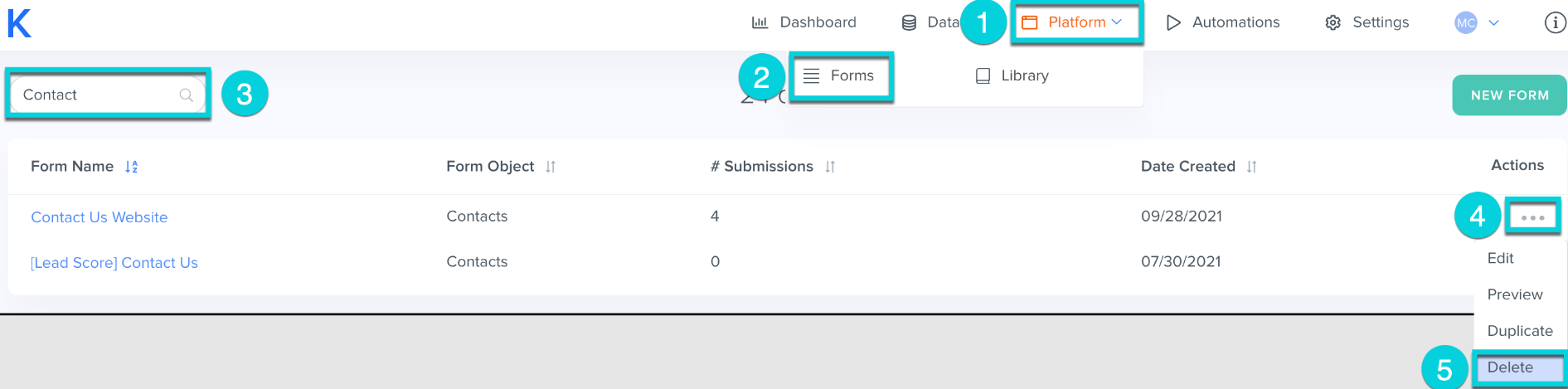
1. Navigate to Platform tab from the top menu bar
2. Click Forms
3. Search for the form you would like to delete
4. Click the "... " icon in the Actions column
5. Click Delete
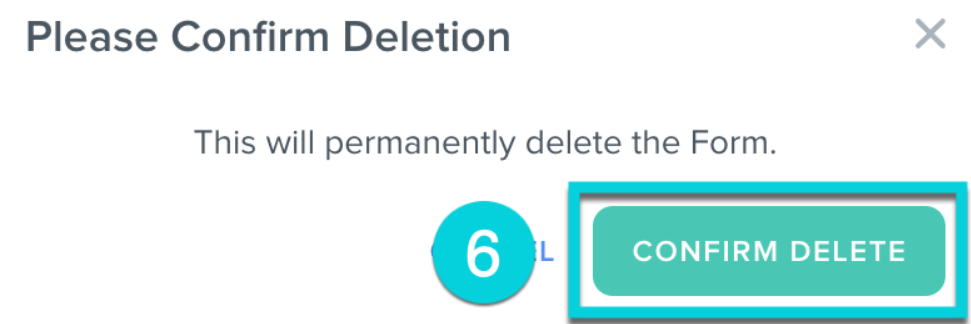
6. Click Confirm Delete to permanently delete the Form
Tip: Before deleting a form, make sure it is not linked to any Agentic Workflow. Deleting a form that is part of an Agentic Workflow will cause the Agentic Workflow to stop functioning.
Was this article helpful?
That’s Great!
Thank you for your feedback
Sorry! We couldn't be helpful
Thank you for your feedback
Feedback sent
We appreciate your effort and will try to fix the article