Purpose: This guide covers how to set up Goals in Kizen Agentic Workflows. Goals are similar to Triggers but require a specific event to occur before the Agentic Workflow proceeds. By using Goals, you can create flexible paths for records based on whether a goal is met, allowing Agentic Workflows to wait for specific actions before continuous
TABLE OF CONTENTS
Goals Overview
Goals are similar to Triggers. With goals, your Agentic Workflow will wait until something happens and won't continue down the path immediately, like when using a Condition.
The record will be assessed as Goal Met or Goal Not Met, when they reach the Goal Step in your Agentic Workflow. When reaching the Goal Step, the Agentic Workflow will only go down one path. You can always setup a second Goal if multiple need to be met.
Types of Goals
There are various goal types that can be selected in the Goal Step.
Activities
Activity Logged - When a particular activity is logged (or not logged) the Agentic Workflow will continue.
1. Choose Activity
2. Proceed Down "Not Met" Path After
3. Click Save
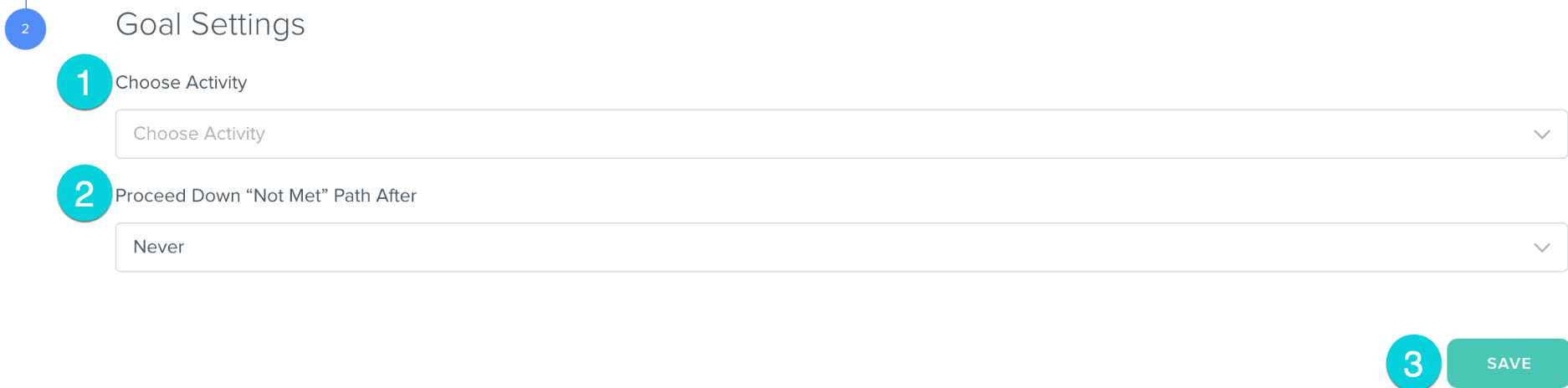
Hint: A common example of using activity logged goal steps is a sales team member logging a Call Activity. If they don't log a call activity with a prospect within a certain timeframe, the sales team member (or their manager) can be notified
Fields
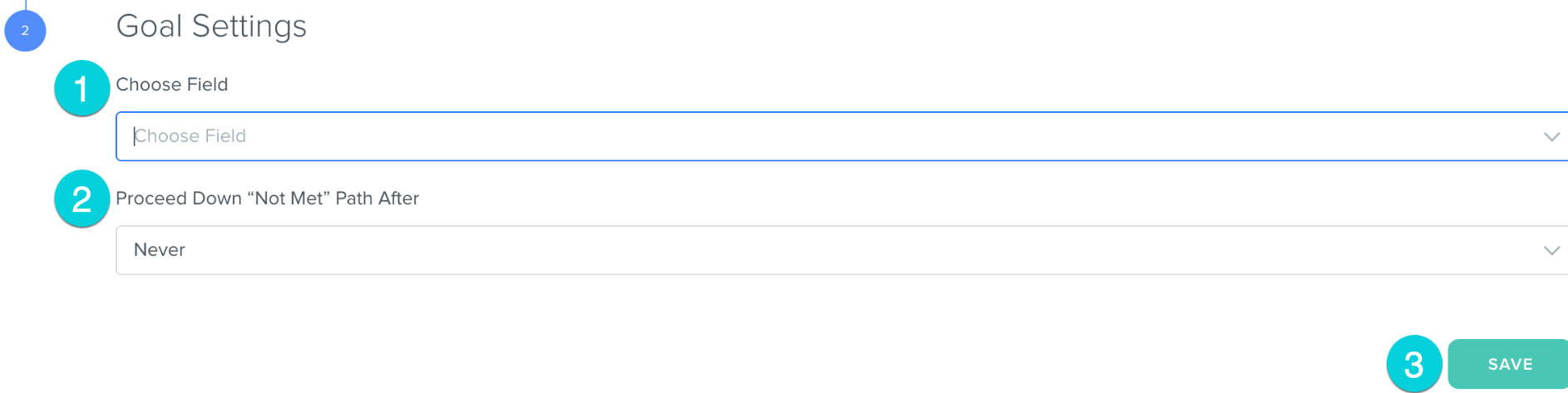
Field Updated - When a particular field is updated the Agentic Workflow will continue.
You can choose between First Name, Last Name, Email Address, Company, or any of the custom fields created in your account.
1. Choose Field
2. Proceed Down "Not Met" Path After
3. Click Save
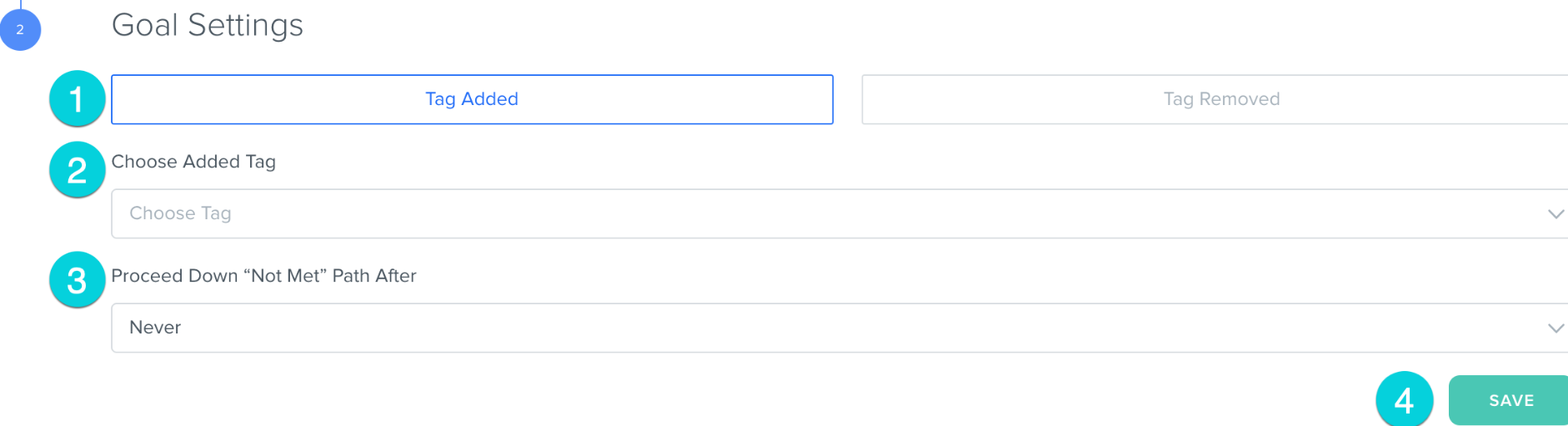
Tag Added/Removed - When a particular tag is added or removed from a record the Agentic Workflow will continue.
1. Select Tag Added or Tag Removed
2. Choose Tag
3. Proceed Down the "Not Met" Path After
4. Click Save
Interactions
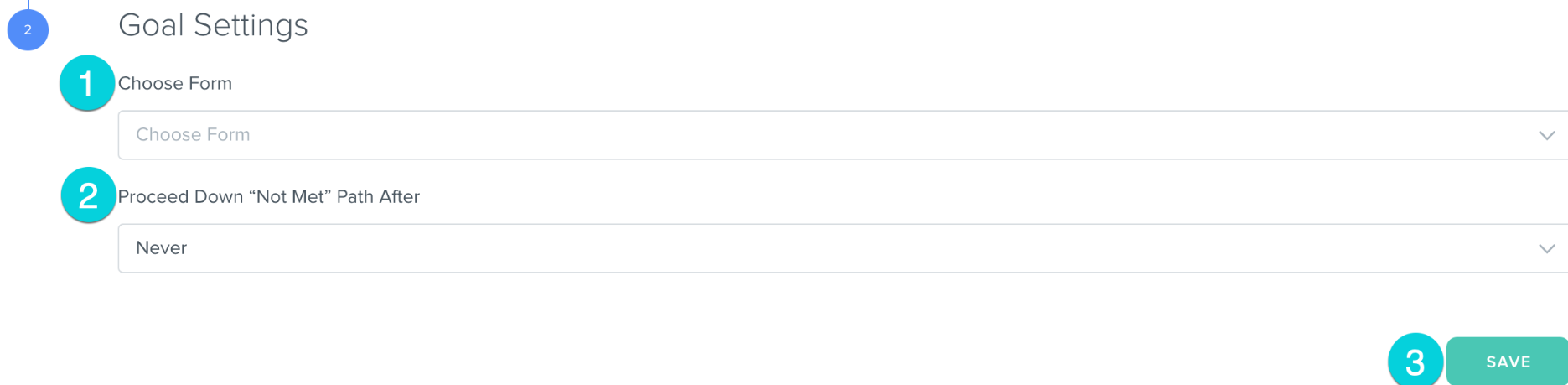
Form Submitted - When a particular form is submitted the Agentic Workflow will continue.
1. Choose Form
2. Proceed Down "Not Met" Path After
3. Click Save
Was this article helpful?
That’s Great!
Thank you for your feedback
Sorry! We couldn't be helpful
Thank you for your feedback
Feedback sent
We appreciate your effort and will try to fix the article