Purpose: This article provides a quick guide on how to send an email to a single contact
Follow these simple steps to easily send a personalized message:
1. Select Data from the top menu bar
2. Click Contacts
3. Select the contact you would like to email

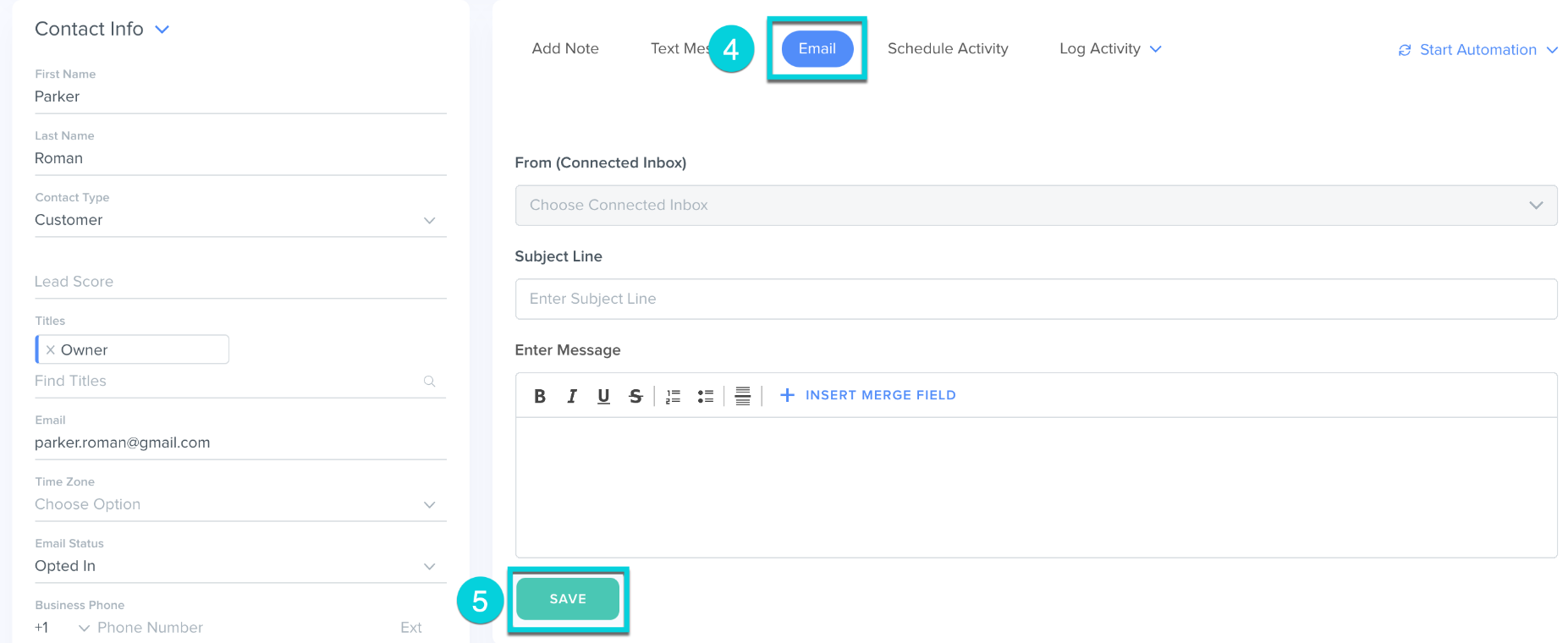
4. Select Email from the Action Block
5. Type your message and click Send
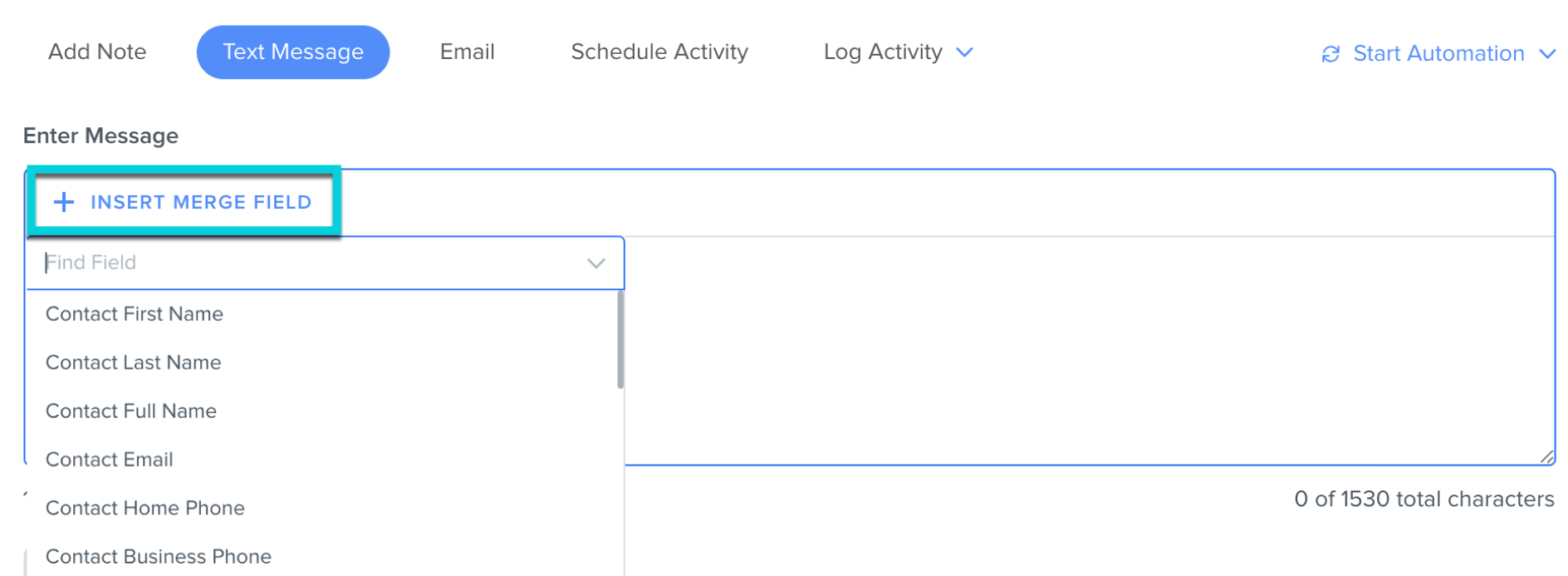
Hint: Click on Insert Merge Field to personalize your email to the contact
Was this article helpful?
That’s Great!
Thank you for your feedback
Sorry! We couldn't be helpful
Thank you for your feedback
Feedback sent
We appreciate your effort and will try to fix the article